
A practical approach to instant hotfixes and faster production recovery.
Every Flutter developer working on a production app has faced this:
- A crash is reported
- The issue is small (null check, UI fix, API handling)
- You fix it in minutes
But the release process looks like this:
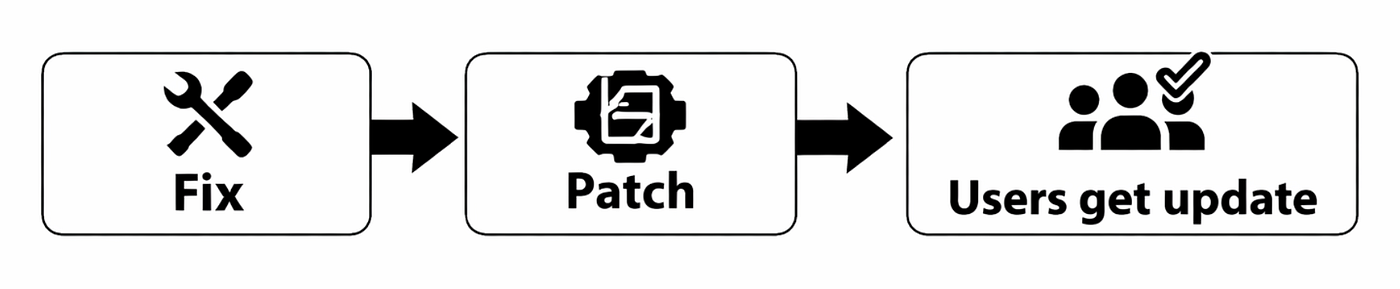
Fix → Build → Upload → Store Review → Users update
Even for a tiny fix, it can take hours to days.

This leads to:
- Poor user experience
- Negative ratings
- Emergency releases
- Developer stress
The real challenge isn’t fixing bugs. It’s delivering fixes quickly.
What if you could fix a production issue without submitting a new version to the Play Store or App Store?
- No review.
- No waiting.
- Users get the fix automatically.
That’s exactly what Shorebird enables.
🤔 What does Shorebird actually do?
Shorebird allows you to send over-the-air updates for your Flutter app’s Dart code.
You can update the following without publishing a new app version:
- Bug fixes
- UI changes
- Text/content
- API logic
- Business rules
Users receive updates automatically the next time they open the app.
Only Dart code is updated — native code remains unchanged.
Traditional release:

With Shorebird:
Benefits:
- Fix production issues in minutes
- No emergency store releases
- Better user experience
- Faster iteration
For experienced developers, this improves how you manage real-world production apps.
🛠 ️How shorebird works
- User installs Shorebird-enabled app from store
- App checks the Shorebird server on launch
- If a patch is available → download
- Updated Dart code runs instantly
🧑💻️ Implementing this for mobile apps
1. Install CLI
dart pub global activate shorebird_cli2. Login
shorebird login3. Initialize project
shorebird init4. Create first release
shorebird release androidUpload this build to the Play Store.
5. Send a patch (after fixing a bug)
shorebird patch androidThat’s it. Users will receive the fix automatically on the next launch.
🚫 What Shorebird does NOT solve
Shorebird is powerful — but it’s not magic. Shorebird cannot update:
- Native Android/iOS code
- New plugins requiring native setup
- Permission changes
- App configuration changes
If native code changes → store release is required.
📌 When should you use Shorebird?
Best for:
✔ Crash fixes
✔ UI/text corrections
✔ API logic changes
✔ Small production issues
Not for:
❌ Major feature releases
❌ Architecture changes
❌ Native integrations
Shorebird for hotfixes. Store for features.
💼 Why this matters for your career
As you become an experienced developer, you start owning:
- Production stability
- Release cycles
- User issues
Using Shorebird shows:
- Faster incident handling
- Production ownership
- Real-world engineering maturity
It’s a practical skill that teams value.
Final Thoughts ✨
Building features are important.
But fixing issues fast is what keeps users happy.
Shorebird helps Flutter developers:
- Ship hotfixes instantly
- Reduce release pressure
- Improve app reliability
If you maintain a production Flutter app, Shorebird is definitely worth exploring.
Further Reading 📚
- Shorebird Docs: https://docs.shorebird.dev
- Flutter Deployment Guide: https://docs.flutter.dev/deployment
- Shorebird GitHub: https://github.com/shorebirdtech